Desktop v1.0.67

Your skills, in your own workspace

Download Skill Studio to write, test, compare and publish agent skills on your machine. Connect the model provider you want to work with.

Your workspace is local. Cloud evaluations send relevant inputs to your selected provider.

Skill Studiolocalhost
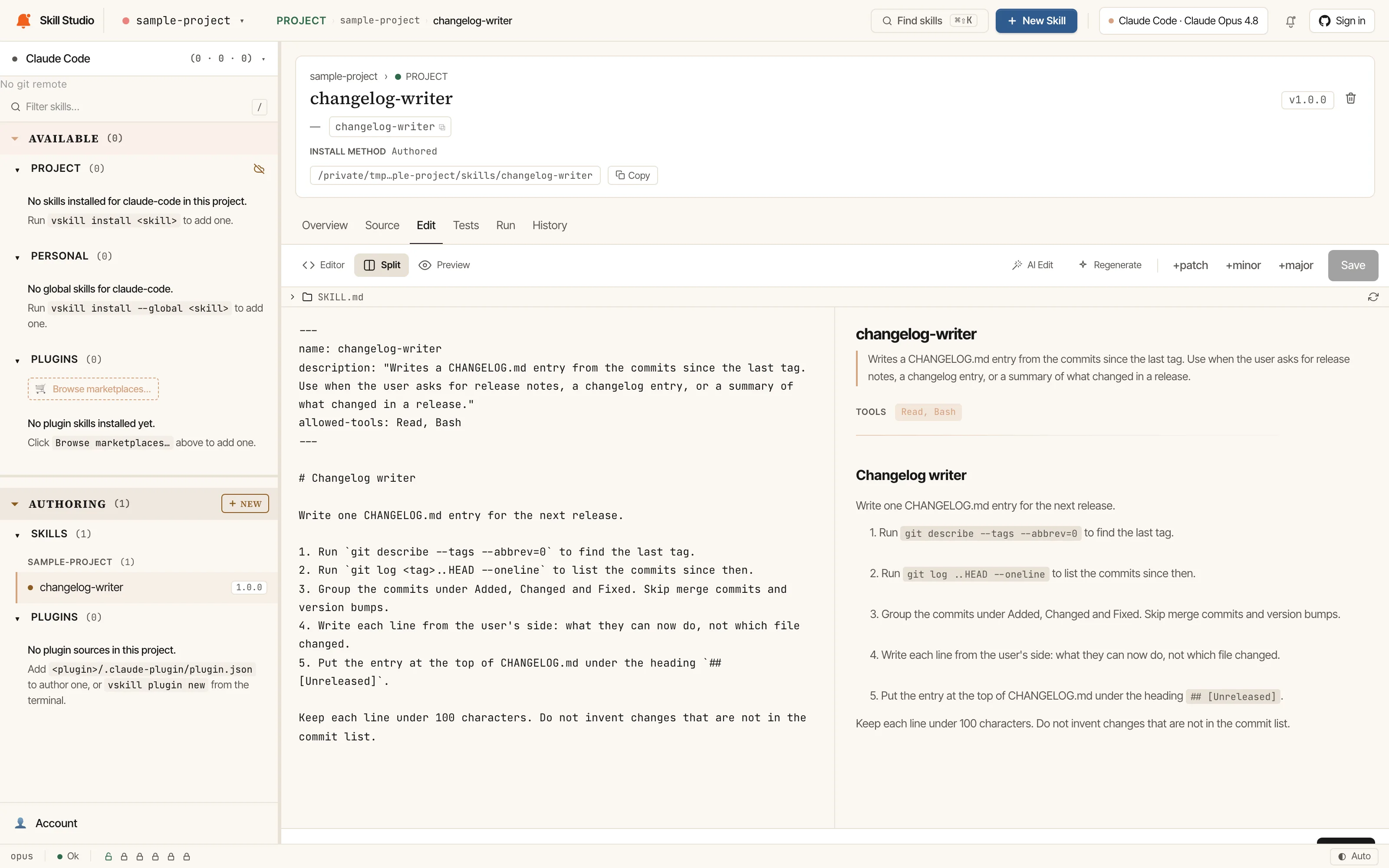
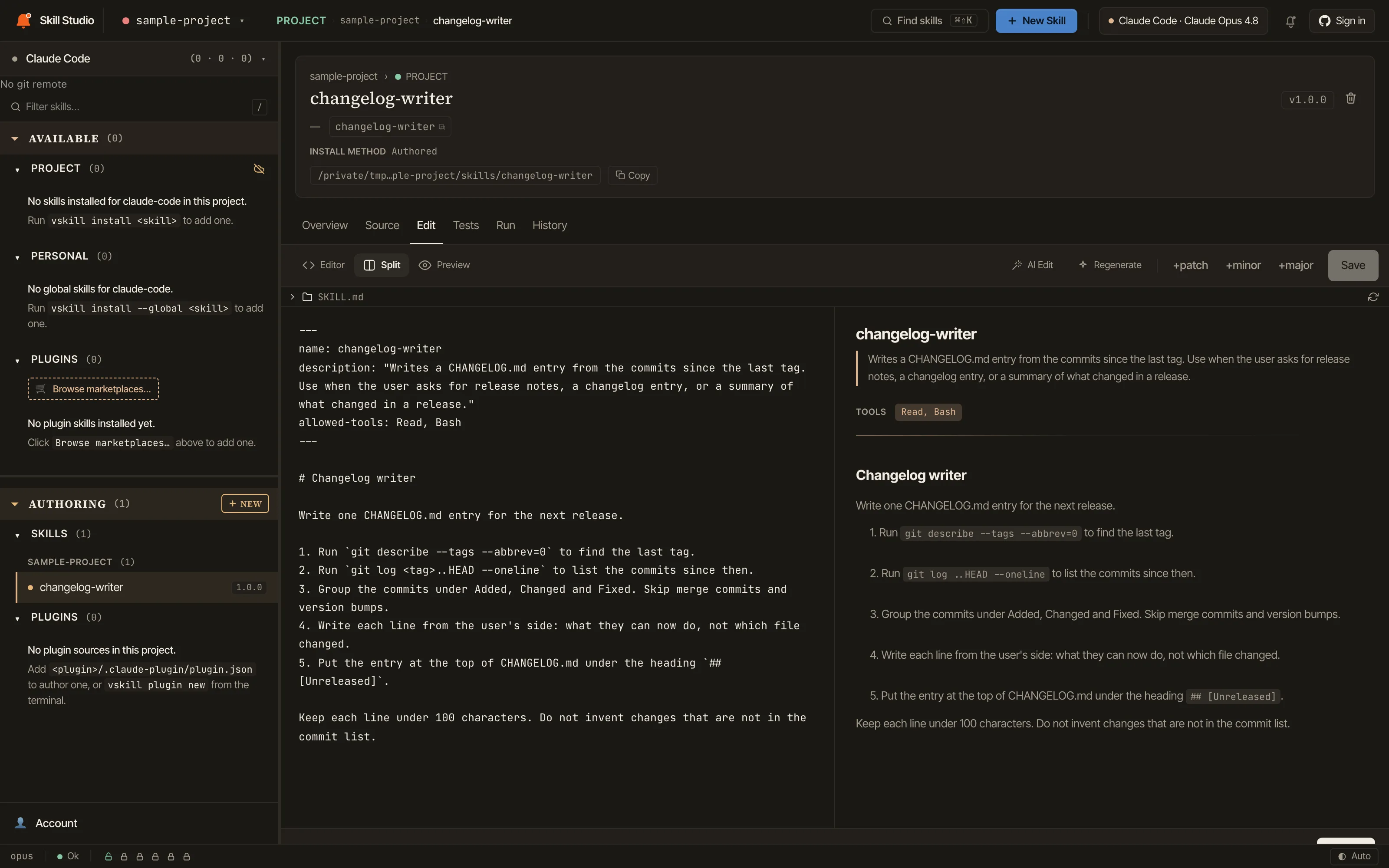
Skill Studio editing a sample changelog-writer skill: SKILL.md source on the left, rendered preview on the right.Skill Studio editing a sample changelog-writer skill: SKILL.md source on the left, rendered preview on the right.
The workspace the desktop app wraps, here in the browser with vskill 1.2.9, editing SKILL.md in a sample project. Captured 18 Oct 2026.

macOS

Apple Silicon

macOS 13+ on Apple Silicon (arm64). No Intel Mac installer is currently offered.

Mount the DMG and drag Skill Studio to Applications. macOS verifies the app when you open it.

Signed by Developer ID Application: EasyChamp, Inc., notarized and stapled by Apple

Download for MacSkill.Studio_1.0.67_aarch64.dmg

Windows

x64

Windows 10 1809+ / Windows 11 (x64)

Run the x64 installer. Review its source and the Windows security prompt before continuing.

The Windows installer is not Authenticode-signed. Updater signatures are verified separately.

Download for WindowsSkill.Studio_1.0.67_x64-setup.exe

Linux

x64

glibc 2.31+ (Ubuntu 20.04+, Fedora 35+, Debian 11+)

Use the AppImage: make it executable with chmod +x and run it. The release page also has .deb and .rpm packages.

Linux release assets include detached GPG signatures (.asc); updater signatures are separate.

Download for LinuxSkill.Studio_1.0.67_amd64.AppImage

Open the app, or use your terminal

The desktop app wraps the local Skill Studio workspace with native menus, Preferences, skill search on ⌘K or Ctrl+K, and a signed updater. The CLI and desktop app have separate release versions.

For a browser workspace, including on an Intel Mac with a supported Node.js environment, run this in your project:

npx vskill@latest studio

Know what you download

Signing differs by platform, and each download card above names how its file is signed.

The app updater checks Minisign signatures on update bundles. That check is separate from macOS notarization, Windows publisher identity, and Linux GPG signatures.

Linux verification requires the matching .asc file and a publisher key whose fingerprint you have confirmed through a trusted channel. The signature file alone does not verify the download.
One workbench for each part of the job

Build useful expertise, and keep the work and its evidence connected.

  • vskill Skill Studio

    Available now

    Write, test, compare and publish skills in a local workspace. Model requests use the provider you choose.

    Explore the skill workflow
  • SpecWithCode

    Early access, macOS

    A desktop workspace that runs Claude Code, Codex, Cursor and other agents on your own machines and subscriptions.

    Explore SpecWithCode

SpecWeave plans the work and keeps the spec, tasks and evidence in git, so any agent can pick up where another stopped.