Test a skill on your own work before you keep it.
Skill Studio is a local workbench for agent skills. Write what good looks like, run the skill on a real task, and keep the evidence you can inspect.
npx vskill@latest studioSkills stay in a local workspace on your machine. Model requests go to the provider and model you choose.
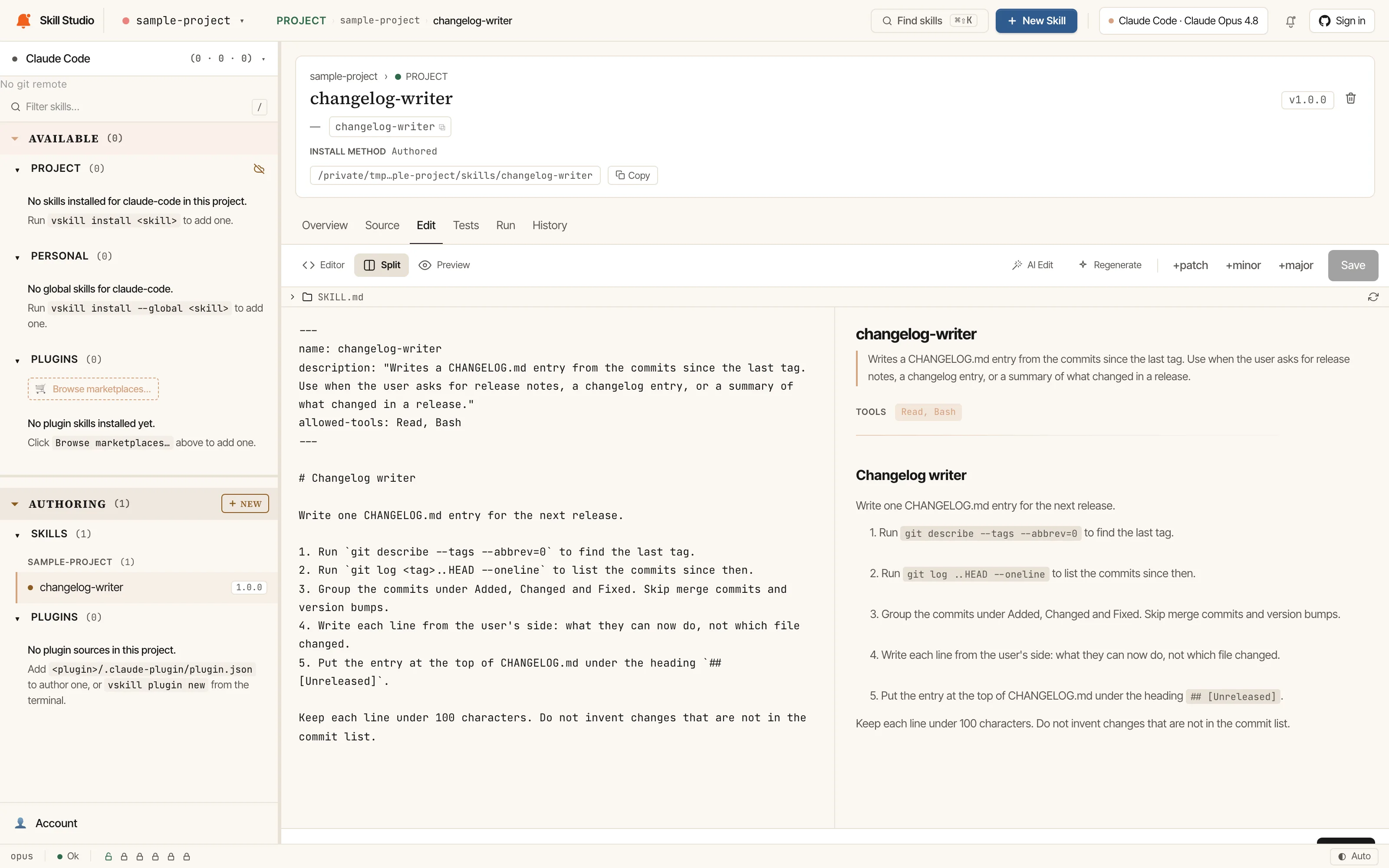
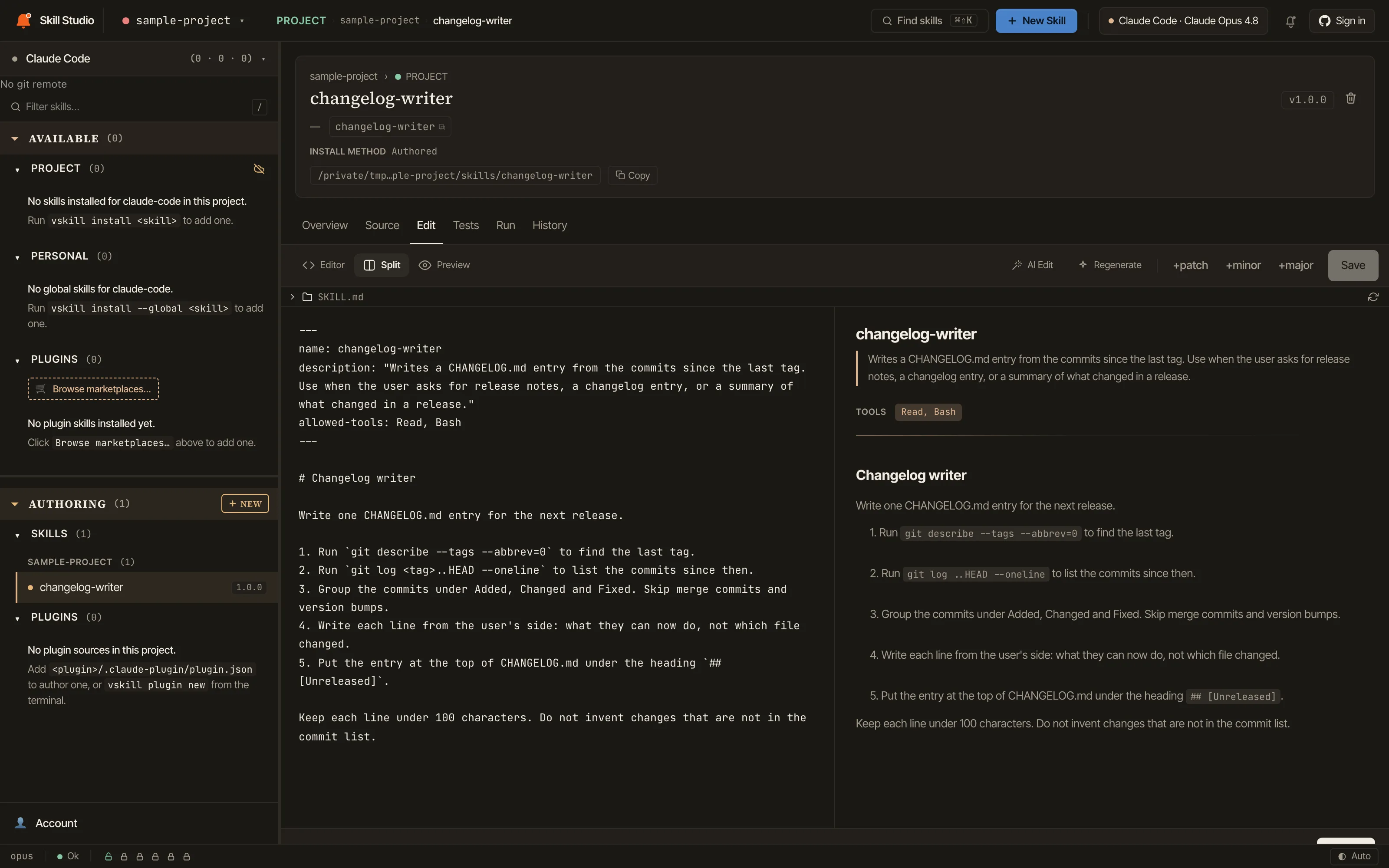
From a draft to a skill you can stand behind
Five steps, one workspace. Each step leaves something you can open later: the SKILL.md, its test cases, the comparison, the benchmark and the published version.
Write the skill
Describe what the skill is for and let Studio draft its SKILL.md with the vskill engine or Anthropic’s skill-creator, or start from a blank file. Edit the source beside a rendered preview.
To change a passage, tell the AI edit bar what you want and review the diff before you apply or discard it.
- New skillAI-assisted or blank, with the engine you choose. A missing engine is installed only after you confirm.
- Editor and AI edit barSource and preview side by side; AI edits arrive as a diff, including any test cases they would change.
- ImproveProposes a revision using your latest benchmark and bumps the patch version when you apply it.
Test it in plain English
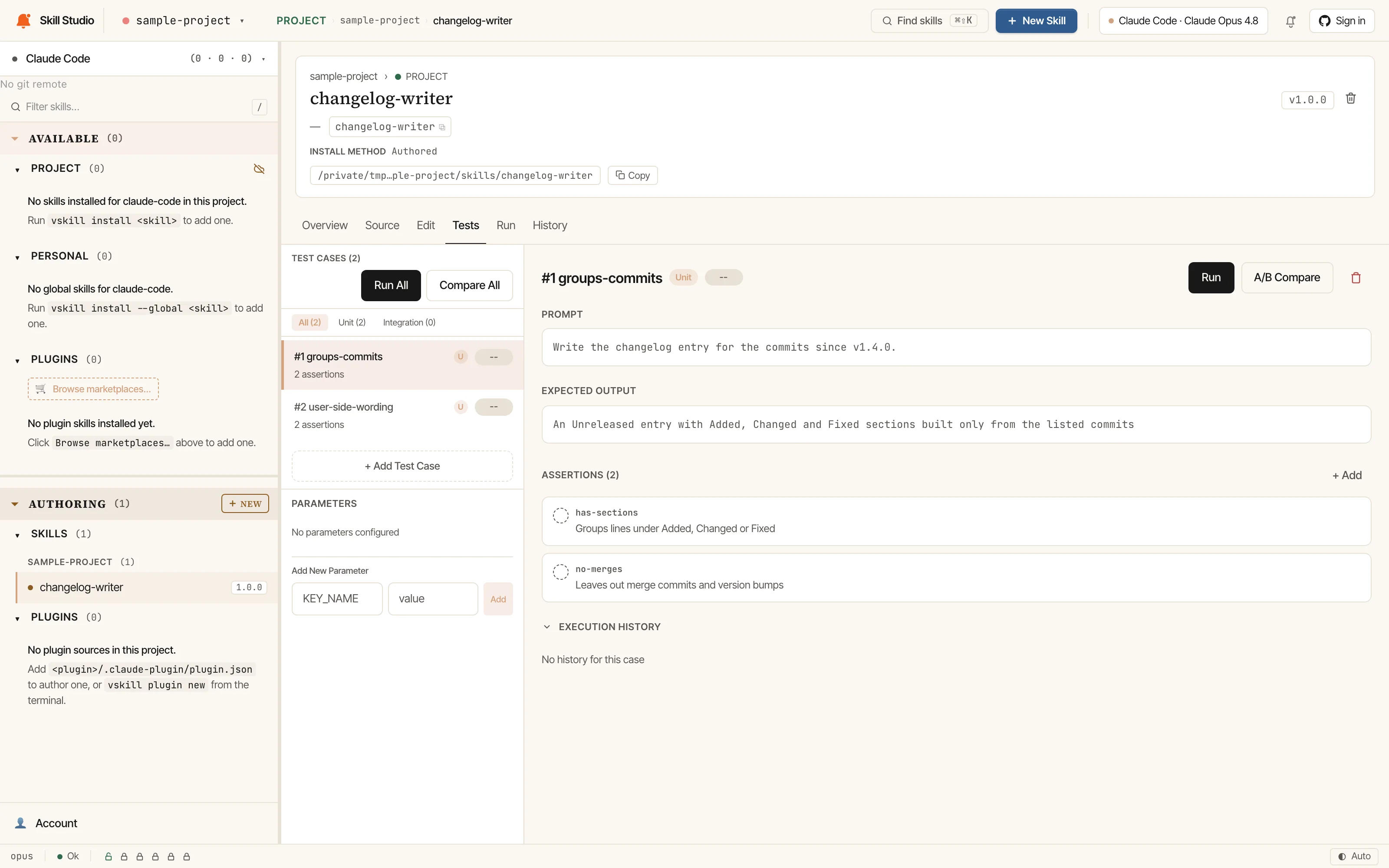
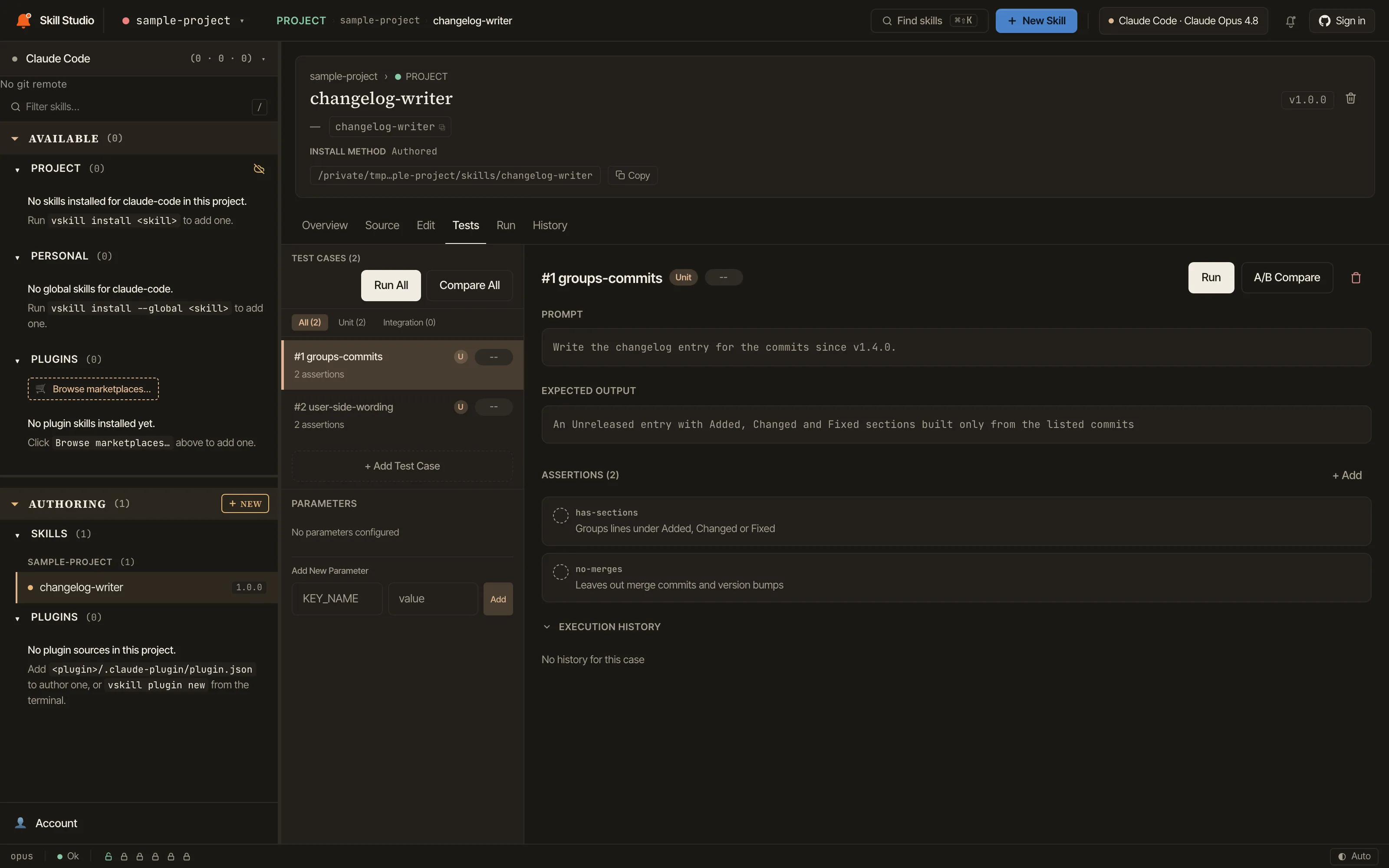
Each test case holds a prompt, the expected output and assertions written as sentences. Run one case or all of them with the provider and model you pick.
For an existing skill,
npx vskill@latest eval init <plugin>/<skill>drafts the test cases intoevals/evals.jsonfrom its SKILL.md. The activation test checks that the skill triggers on prompts it should handle and stays out of the ones it should not.One test case of a sample skill: a prompt, the expected output and two assertions. Cropped from the Tests tab, captured 18 Oct 2026. Compare with and without it
A/B Compare runs the same prompt with the skill and without it. A judge model scores both answers in random order without knowing which one used the skill.
Studio combines the assertion pass rates and the judge’s scores into one of five verdicts, so a skill that adds overhead says so. Skill pages on verified-skill.com show the registry’s own verdict, which uses four of these names and scores the gain alone; Emerging is a Studio verdict only.
- EffectiveAt least 80% of assertions pass, more than 15 points above the run without the skill, and the judge scores it clearly higher.
- MarginalAt least 80% of assertions pass without a clear gain over running without the skill, or half or more pass with some gain.
- EmergingFewer than half the assertions pass, yet the judge prefers the answers with the skill.
- IneffectiveBetween half and 80% pass, and no more than running without the skill.
- DegradingFewer than half pass and the judge does not prefer the skill. Remove it or rewrite it.
Verdicts and thresholds from
src/eval/verdict.tsin vskill 1.2.9.Benchmark across models
A sweep runs the same tests on several models with one judge, and with
--baselineit also runs each model without the skill to show the difference. The leaderboard ranks the results.Studio works with Claude Code, Codex, Gemini CLI, the Anthropic and OpenAI APIs, OpenRouter, Ollama and LM Studio. With an Anthropic key,
eval run --batchsends judge calls through Anthropic’s Batch API.npx vskill@latest eval sweep <plugin>/<skill> --models 'anthropic/claude-sonnet-4,openrouter/meta-llama/llama-3.1-70b' --judge 'anthropic/claude-sonnet-4' --baselineA result describes the tested setup: skill version, model, provider and judge. It is not a general model ranking.
Ship it, publicly or privately
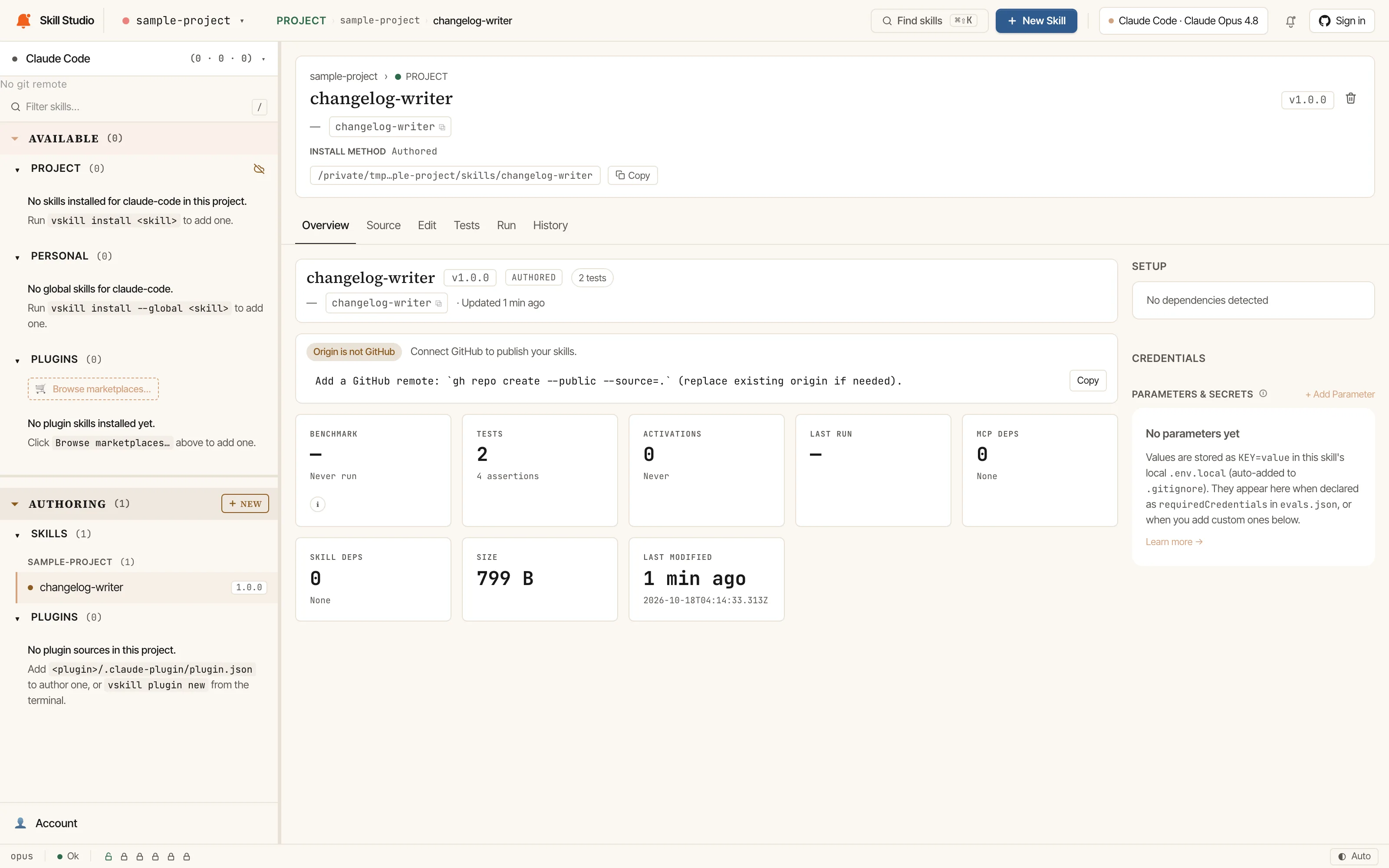
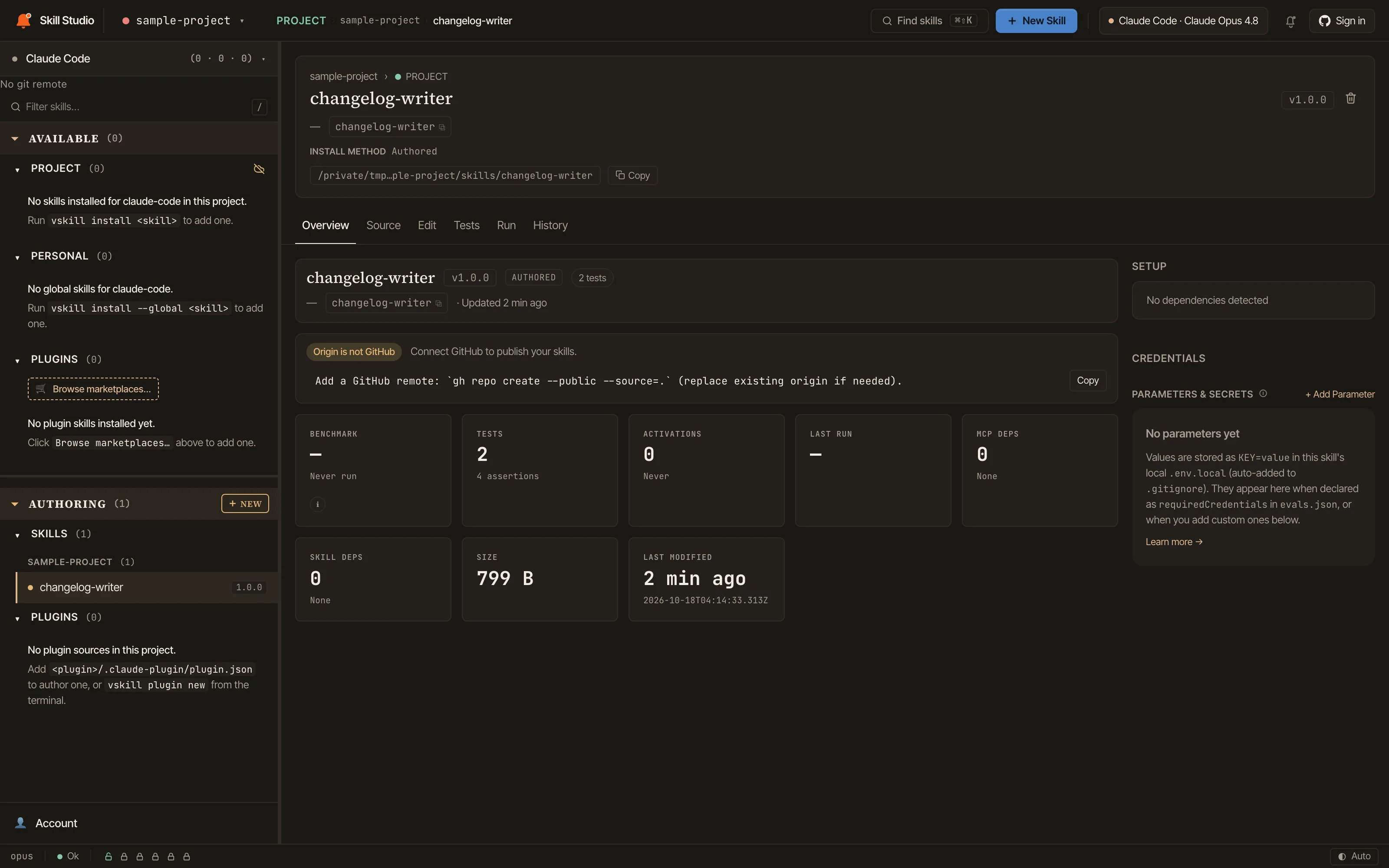
Publish commits and pushes the skill to its GitHub repository, then submits it to the verified-skill.com queue, where it is scanned before it is listed.
Private publishing, added in vskill 1.2.9 on 17 Oct 2026, keeps a skill inside the publishing account you pick, once the GitHub App is connected. Its status stays inside Studio. Version history shows every release, and the updates panel lists installed skills with a newer version.
A local sample skill. Studio asks for a GitHub remote before it publishes. Cropped from the Overview tab, captured 18 Oct 2026.
The same workspace as a desktop app
The desktop app wraps this workspace in a native window for macOS on Apple Silicon, Windows x64 and Linux x64. It has its own release number, separate from the CLI.
- Find skills
- ⌘K on a Mac, Ctrl+K on Windows and Linux, searches the registry without leaving your skill.
- Preferences
- In the app menu on macOS (⌘,) and under Edit on Windows and Linux.
- Signed updates
- The updater checks the Minisign signature of every update before it installs.
- Notarized on macOS
- Developer ID signed and notarized by Apple.
Test the setup you actually use
A model operates inside a harness with its own instructions, tools, and permissions. A skill that helps one setup may add overhead to another.
- Hold the task steady
- Same request, same starting files, same pass conditions.
- Record the configuration
- Skill version, model, provider, harness, tools, and effort where available.
- Interpret within scope
- A result describes the tested setup. It is not a universal model ranking or a safety certification.
Watch the walkthrough
Authoring, evaluation, publishing and installation in 2:41. It was recorded on an earlier release, before private publishing and the current editor.
Get started
Use the desktop app or launch the same workspace from your terminal. Connect the model provider you want to evaluate with.
npx vskill@latest studionpx vskill@latest eval init <plugin>/<skill>It reads the skill’s SKILL.md and writes evals/evals.json; add --force to replace an existing file. Read the Studio guide
One workbench for each part of the job
Build useful expertise, and keep the work and its evidence connected.
vskill Skill Studio
Available nowWrite, test, compare and publish skills in a local workspace. Model requests use the provider you choose.
Explore the skill workflowSpecWithCode
Early access, macOSA desktop workspace that runs Claude Code, Codex, Cursor and other agents on your own machines and subscriptions.
Explore SpecWithCode
SpecWeave plans the work and keeps the spec, tasks and evidence in git, so any agent can pick up where another stopped.